MS Word এ pie chart তৈরী
-
Click Insert > Chart.
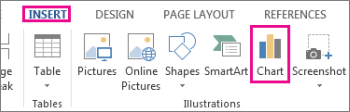
Note: If your screen size is reduced, the Chart button may appear smaller:
-
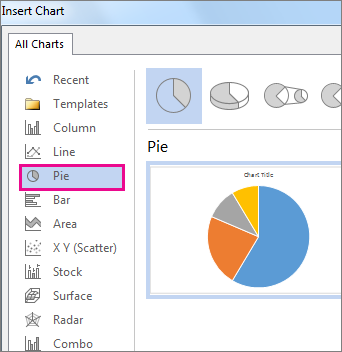
Click Pie and then double-click the pie chart you want.
-
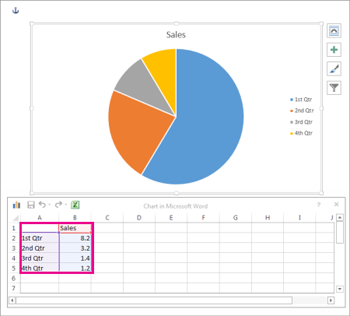
In the spreadsheet that appears, replace the placeholder data with your own information.
-
When you’ve finished, close the spreadsheet.
-
Click the chart and then click the icons next to the chart to add finishing touches:
-
To show, hide, or format things like axis titles or data labels, click Chart Elements
 .
.
-
To quickly change the color or style of the chart, use the Chart Styles
 .
.
-
To show or hide data in your chart click Chart Filters
 .
.
-
To arrange the chart and text in your document, click the Layout Options button
 .
.
-
To show, hide, or format things like axis titles or data labels, click Chart Elements
Tip: You can draw attention to individual slices of the pie chart by dragging them out.